


ActivTrak is a workforce analytics software-as-a-service platform that analyzes digital work activity data for insights to improve how people work – in office or remote.
- Gain a complete picture of work habits and potential blockers to success.
- View organization-wide productivity trends for agile decision making.
- Improve technology usage and workflows to optimize efficiencies.
- Share weekly work insights with managers and employees to guide progress and growth.
- Safeguard data privacy and security of customers and employees.


Editor’s Rating
Google Analytics for your officeActivTrak brings affordable pricing and an intuitive user interface while avoiding overbearing monitoring features. Instead, it offers employee productivity metrics and team behavior analytics. It’s like Google Analytics for your office.Explore ActivTrak’s key features
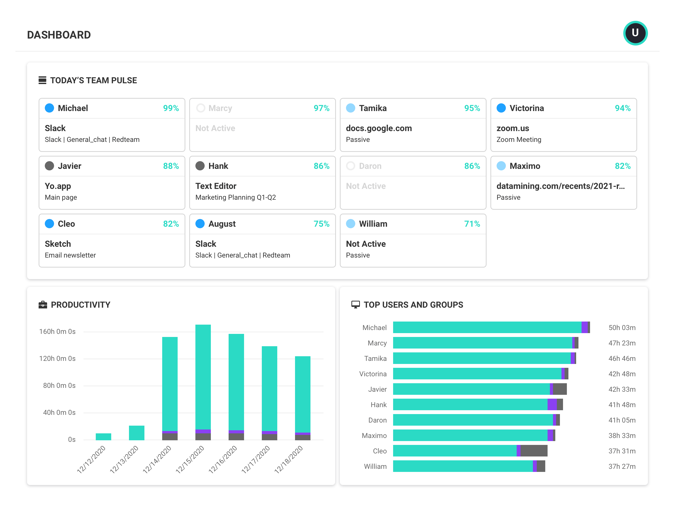
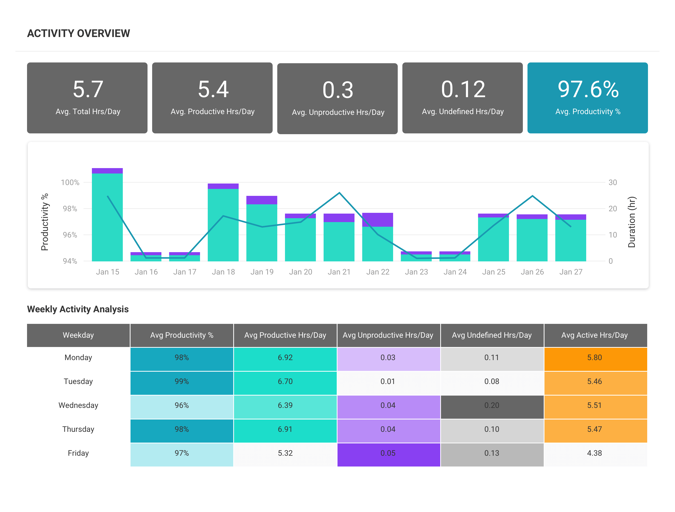
Dashboards
View a summary of workforce productivity metrics to keep a pulse on issues that impact burnout, engagement and efficiency.
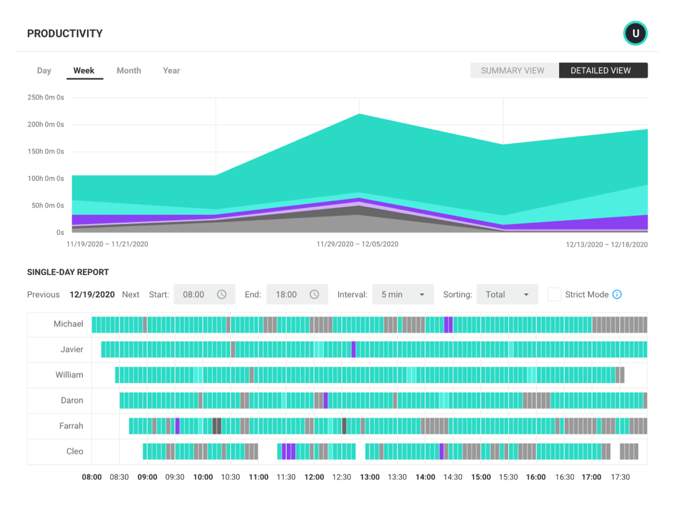
Productivity Reports
Gain valuable insights into factors affecting employee productivity with reports that drill down by date range, users, computers and other criteria.
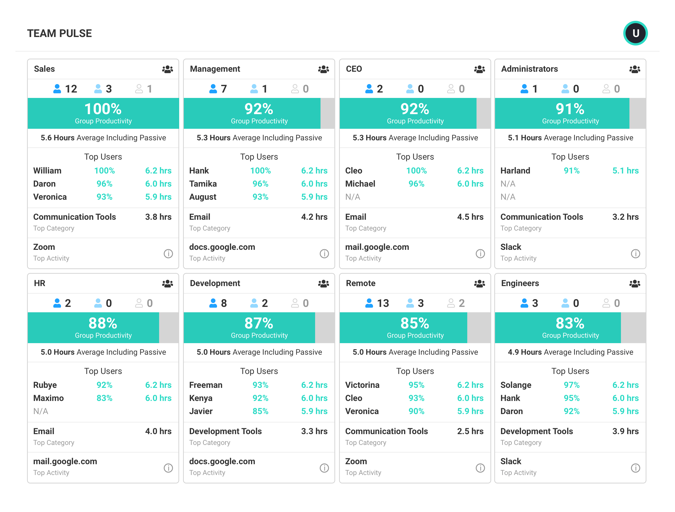
Team Productivity
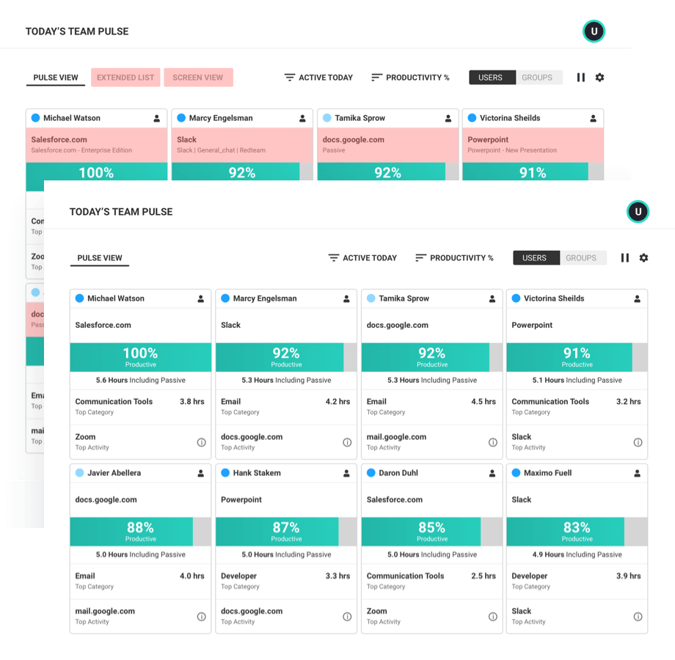
See team productivity and availability status to assess workload balance and identify best practices of top performers.
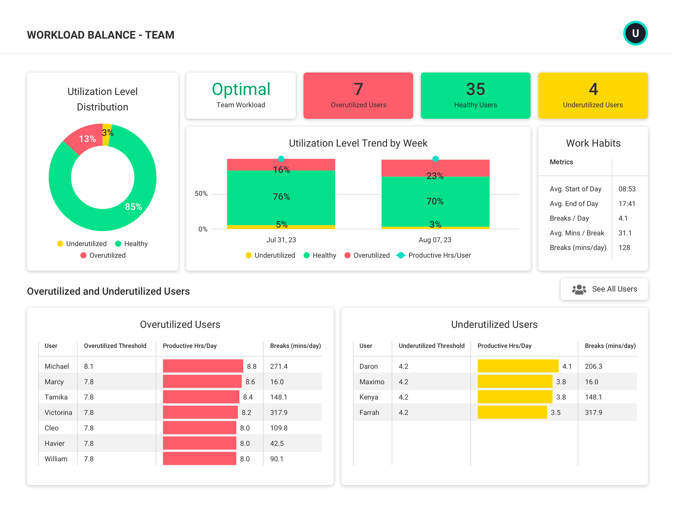
Workload Management
Uncover opportunities across individuals and teams to balance workloads, increase efficiency and support healthy work habits.
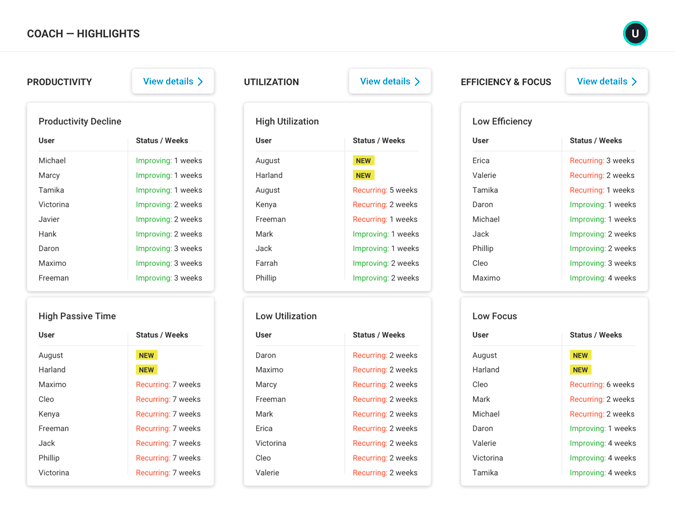
Productivity Coaching
Leverage expert guidance to drive collaborative discussions and empower employees to take charge of their professional development.
Integrations
Combine workforce activity data with key applications and data sources to understand broader business context.
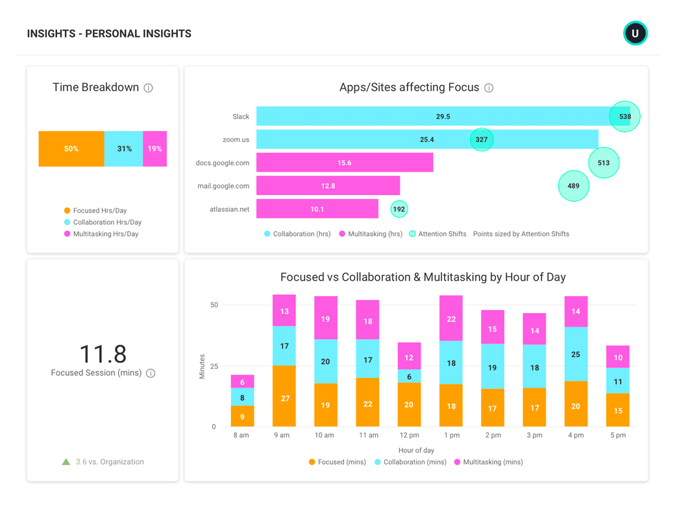
Personal Insights
Empower employees to improve productivity, focus and work-life balance by providing deep insights into individual work habits.
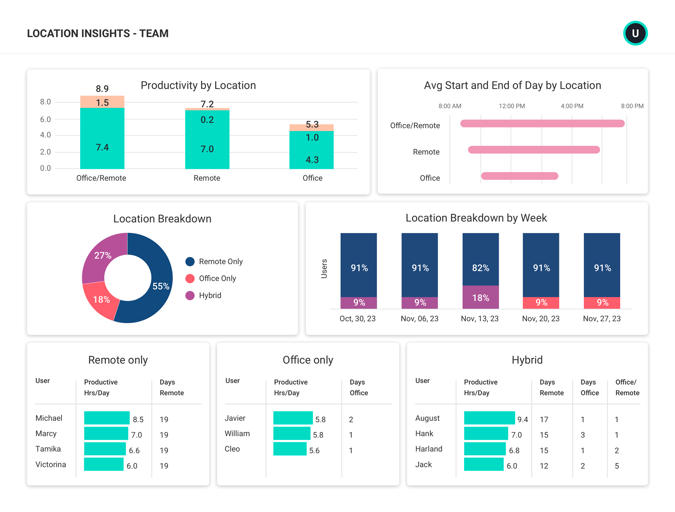
Location Insights
Make data-driven decisions about hybrid work with insight into where employees work — and where they work best.
Data Privacy Controls
Safeguard privacy and confidentiality without loss of any productivity insights, and forge higher levels of trust with employees.
User Management
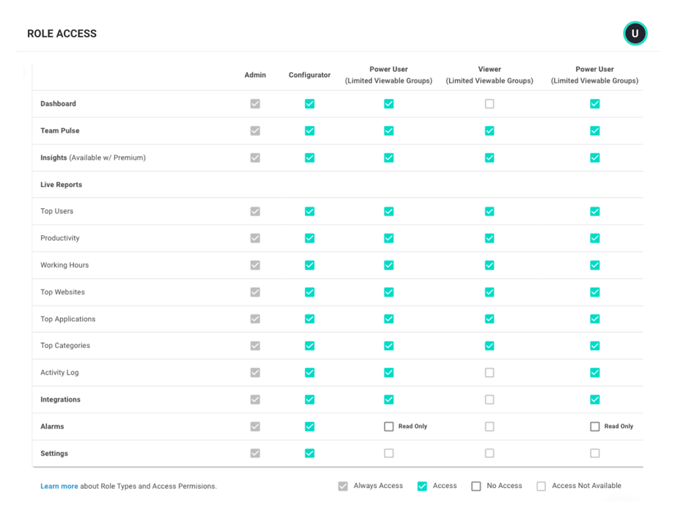
ActivTrak makes it easy to invite and manage users within your ActivTrak account.
Dashboards
View a summary of workforce productivity metrics to keep a pulse on issues that impact burnout, engagement and efficiency.
Productivity Reports
Gain valuable insights into factors affecting employee productivity with reports that drill down by date range, users, computers and other criteria.
Team Productivity
See team productivity and availability status to assess workload balance and identify best practices of top performers.
Workload Management
Uncover opportunities across individuals and teams to balance workloads, increase efficiency and support healthy work habits.
Productivity Coaching
Leverage expert guidance to drive collaborative discussions and empower employees to take charge of their professional development.
Integrations
Combine workforce activity data with key applications and data sources to understand broader business context.
Personal Insights
Empower employees to improve productivity, focus and work-life balance by providing deep insights into individual work habits.
Location Insights
Make data-driven decisions about hybrid work with insight into where employees work — and where they work best.
Data Privacy Controls
Safeguard privacy and confidentiality without loss of any productivity insights, and forge higher levels of trust with employees.
User Management
ActivTrak makes it easy to invite and manage users within your ActivTrak account.
Solutions for hybrid & remote teams
Our award-winning workforce analytics software can be configured in minutes to address a multitude of use cases to enable better business outcomes and improve the employee and customer experience.

Hybrid & remote workforce management
Gain visibility to support and manage employees no matter where they work.

Productivity management & measurement
Identify patterns across people, process and technology to boost productivity and improve outcomes.

Employee productivity monitoring
Understand how and when work gets done while ensuring privacy and compliance.

Employee engagement & burnout
Identify signs of burnout, unbalanced workloads and disengagement to minimize the risk of attribution.

Coaching & performance management
See opportunities to optimize team performance to drive better business results.

Workforce & technology planning
Measure the impact of change to guide decisions about flexible work and technology investments.
PRICING
Workforce analytics software that grows with you
Free
Gain visibility into productivity of small teams
Essentials
Manage team engagement & productivity
per user/per month
Professional
Optimize productivity, process & outcomes
per user/per month
Hear what everyone is saying about ActivTrak
Powered by
Frequently asked questions about workforce analytics
What is workforce analytics?
Workforce analytics is the collection and analysis of digital activity data to create context for how work gets done. Having access to this type of data enables business leaders to make strategic decisions with regard to operational processes, personnel, technology and more to create better business outcomes.
With workforce analytics software like ActivTrak, leaders and managers can track productivity trends to assess engagement for both remote and in-office teams, enable effective coaching based on individual productivity patterns, understand workflow bottlenecks, and identify redundant or underutilized technology.
What are the benefits of workforce analytics software?
Workforce analytics software takes the manual work out of analyzing workforce activity data points and allows for accurate trend analysis, data-driven decision making, and quantifiable measures of progress. With visibility into work habits, business leaders can identify issues and take action to keep employees engaged and optimize processes for better business outcomes.
What are the differences between workforce analytics, HR analytics and people analytics?
Workforce analytics focuses on how work gets done inclusive of technology, processes, personnel and more. The primary driver for implementing workforce analytics is to improve business outcomes and mitigate risk. HR analytics (often referred to as people analytics) is the analysis of data around human costs in business, including training and development, onboarding, recruitment and turnover. HR analytics or people analytics focuses singularly on personnel. The reason for engaging in HR analytics is specifically to improve the management of human resources in your business.
Who uses workforce analytics software?
Organizations that want to improve the efficiency of their workforce are the typical buyers of workforce analytics software. The data and insights can be leveraged by many roles within the organization, from executives to team managers in a variety of functions. As workforce analytics software evolves, more organizations are making data available to individual contributors to help them optimize their own work habits.The use of workforce analytics software is typically industry and department agnostic.