







How It Works
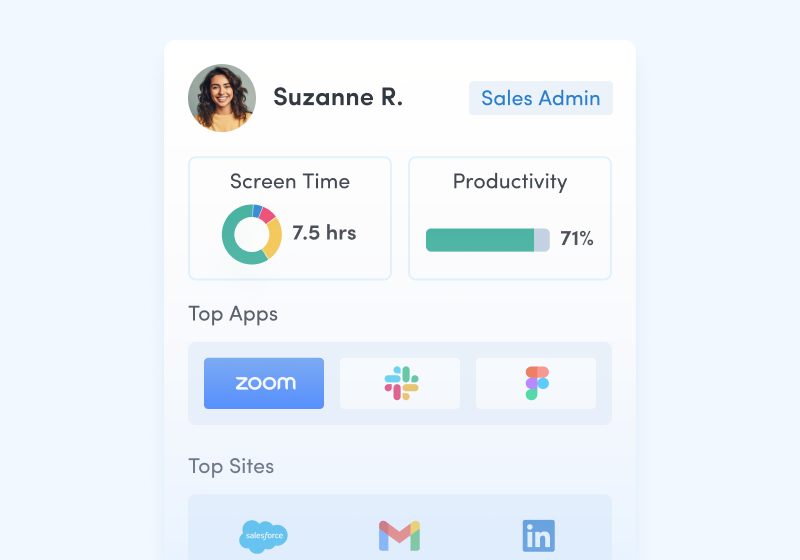
Capture behavioral activity
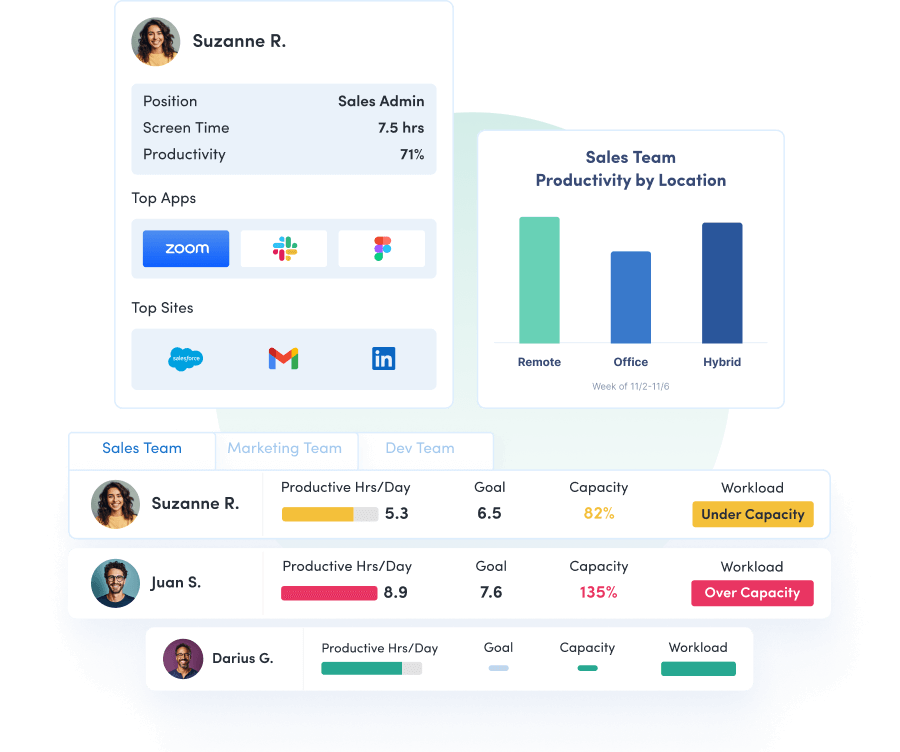
Capture behavioral activity including hours worked, schedule adherence, location policy compliance and app & website usage.
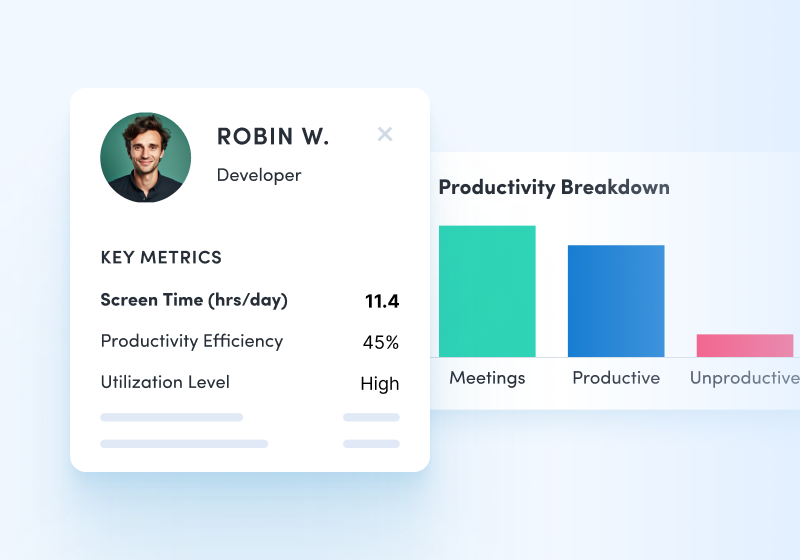
Analyze productivity trends
Analyze productivity trends on employee focus, engagement and utilization to make data-informed decisions on resource allocation.
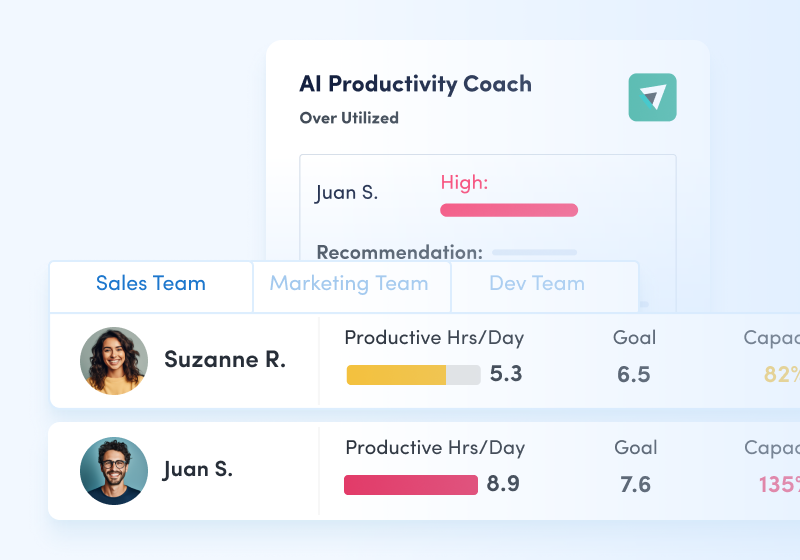
Optimize team performance
Optimize team performance with benchmarks, goal-tracking and AI coaching recommendations to improve workforce productivity.
Work intelligence for the AI era
- Most tools show activity. Work intelligence shows how work actually happens.
- Understand productivity, collaboration and capacity across your organization.
- Measure how AI changes workflows — and whether it delivers real impact.
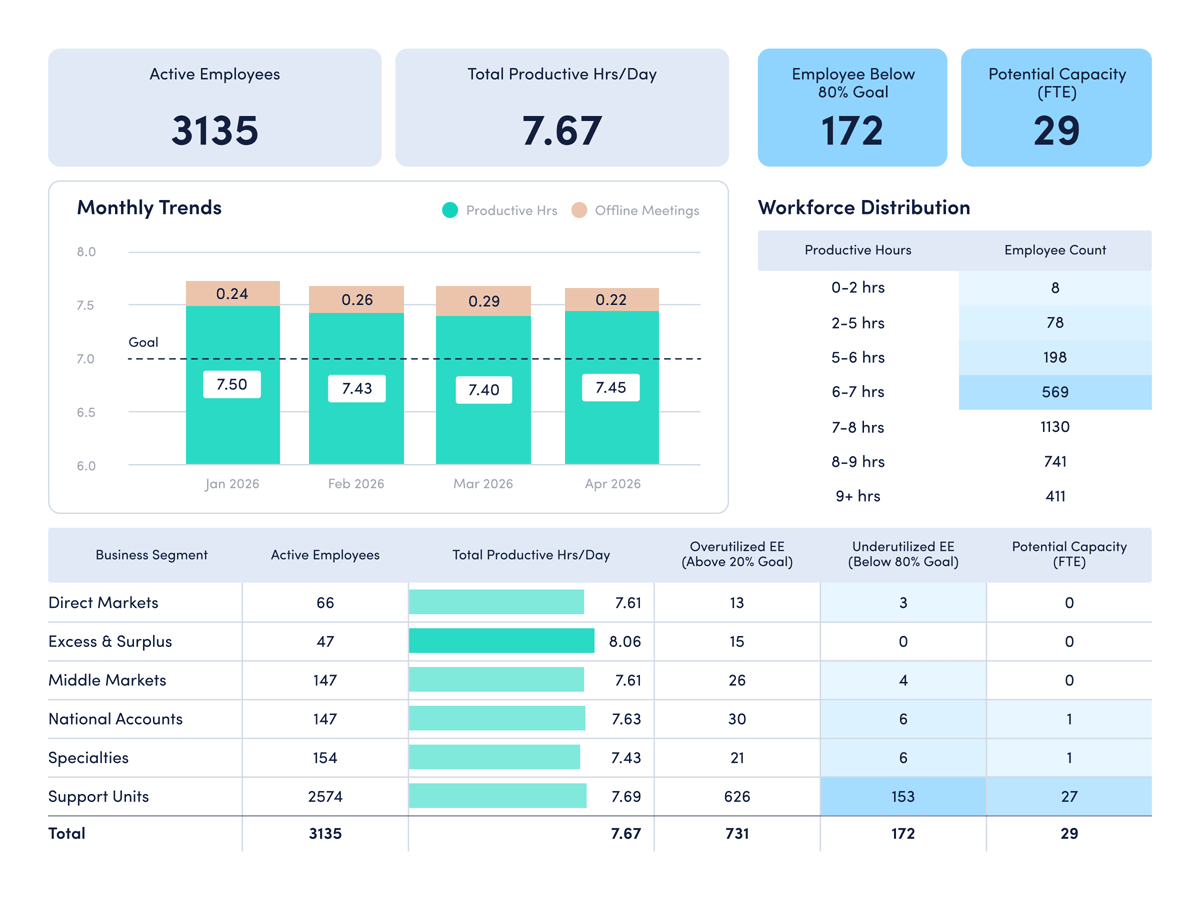
What you can do with ActivTrak
ActivTrak gives you the work intelligence to understand how work happens across people, tools and AI. Measure productivity, improve efficiency, and see how AI is changing workflows—so you can improve performance across your organization.
Executive Insights
Transform workforce data into boardroom-ready insights. See cross-team performance, identify hidden cost savings and make confident decisions that drive measurable business outcomes.
Explore Executive Insights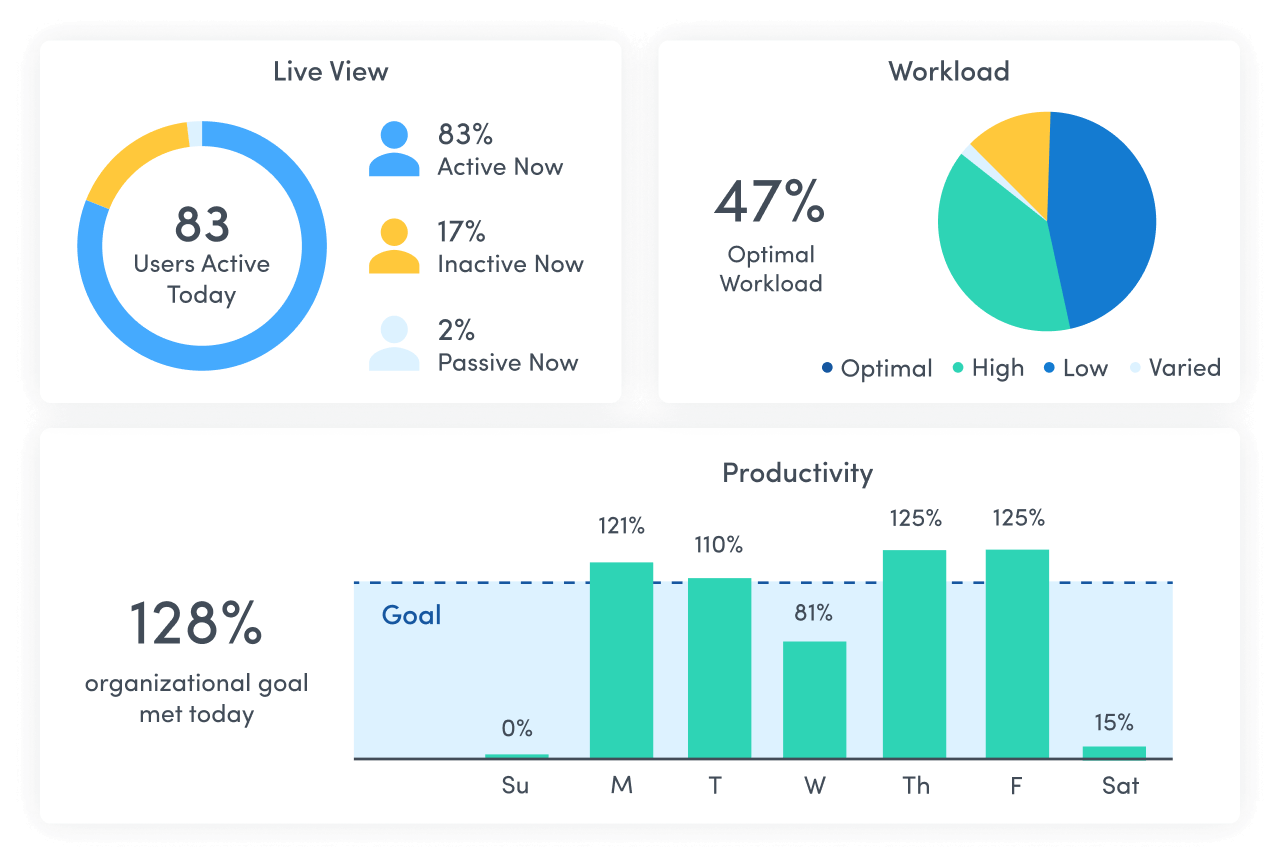
AI Insights
Understand how tools — and AI — are shaping work. See how applications and AI tools are used. Identify what’s driving value, where licenses are underused and how workflows are evolving.
Explore AI Insights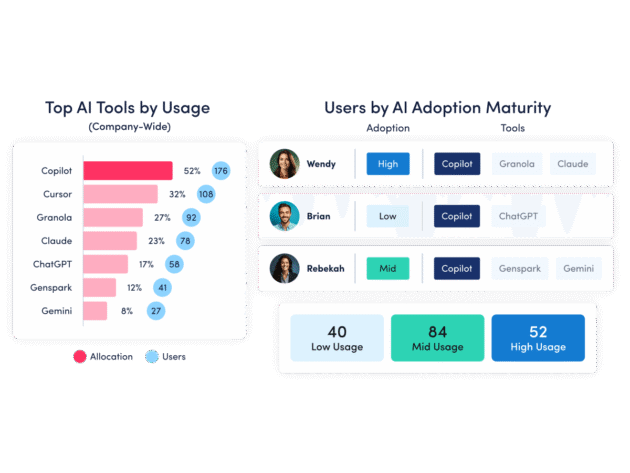
Workforce Management
Understand how work happens across your organization. Analyze work patterns across teams, roles and tools to see where time goes, where friction exists and where performance can improve.
Explore Workforce Management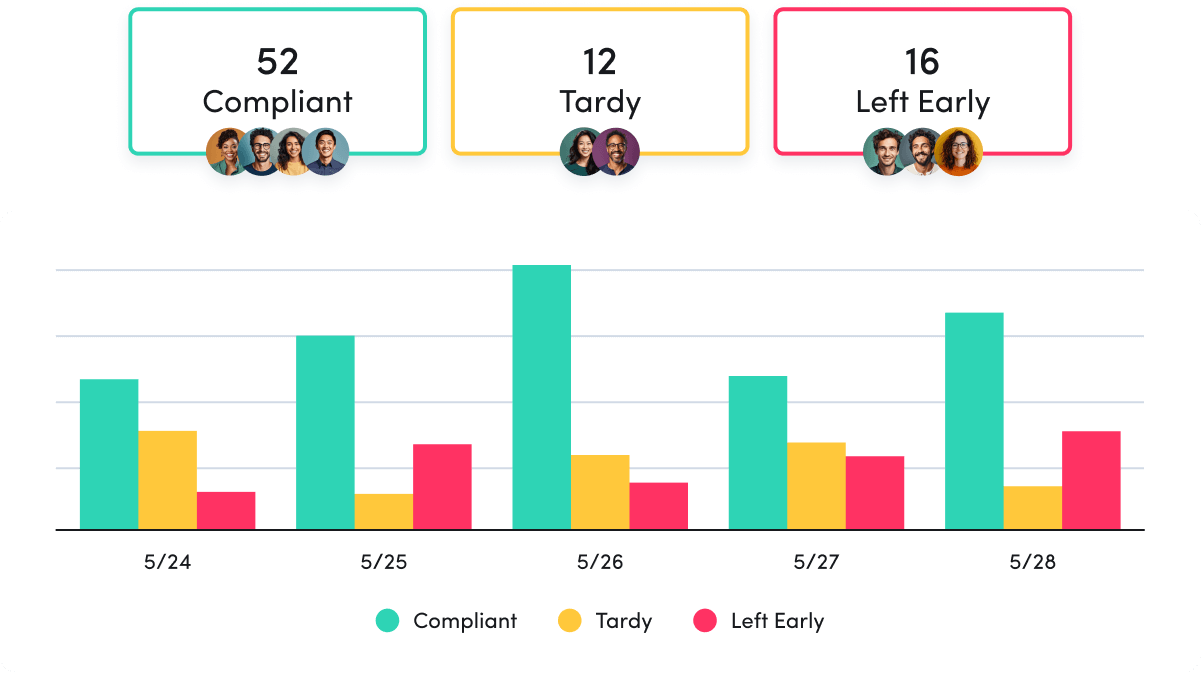
Productivity Optimization
Improve performance with data-driven insight. Quantify productivity, identify capacity and help teams work in more effective, sustainable ways.
Explore Productivity Optimization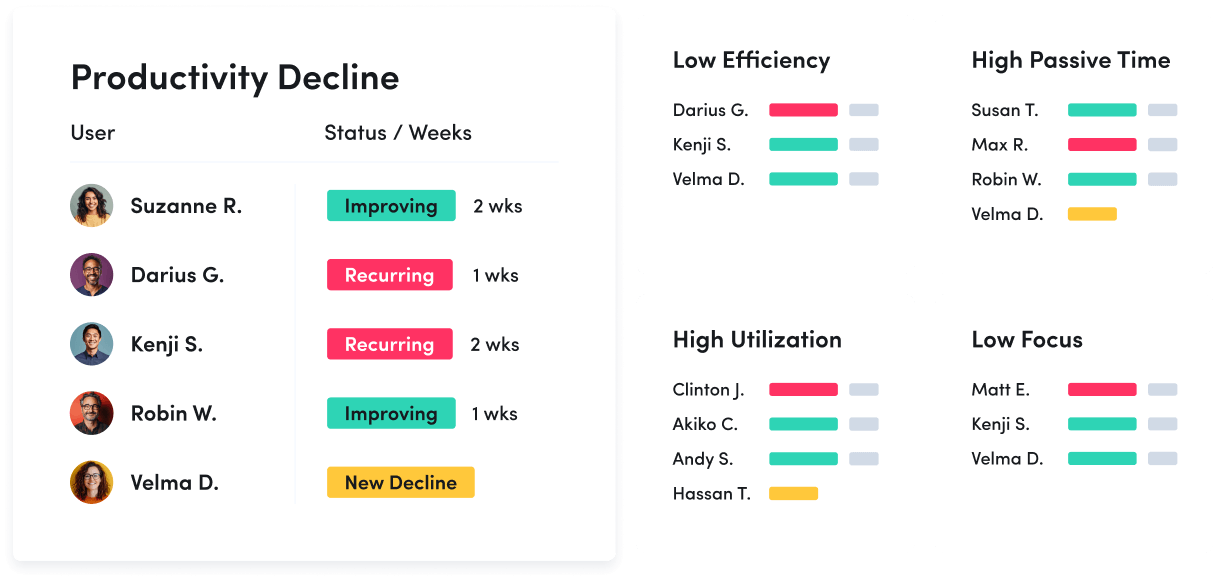
Technology Usage & Compliance
Optimize technology investments and ensure compliance. Understand which applications and websites employees use to drive adoption or cut costs, and enforce policies aimed at mitigating risk.
Explore Tech Usage & Compliance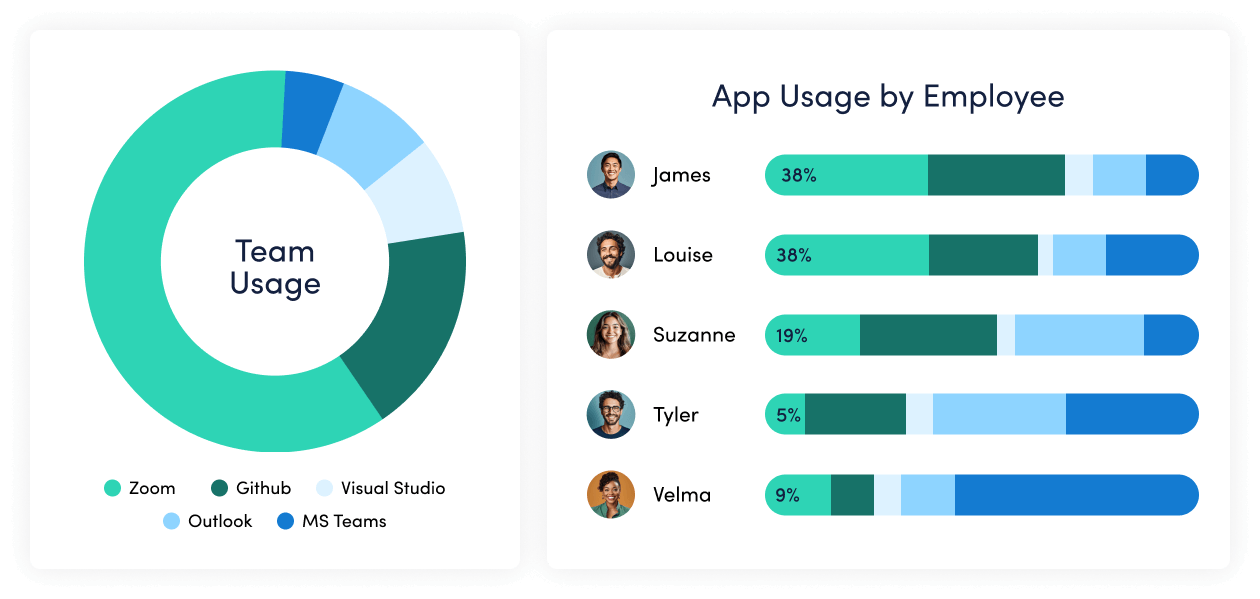
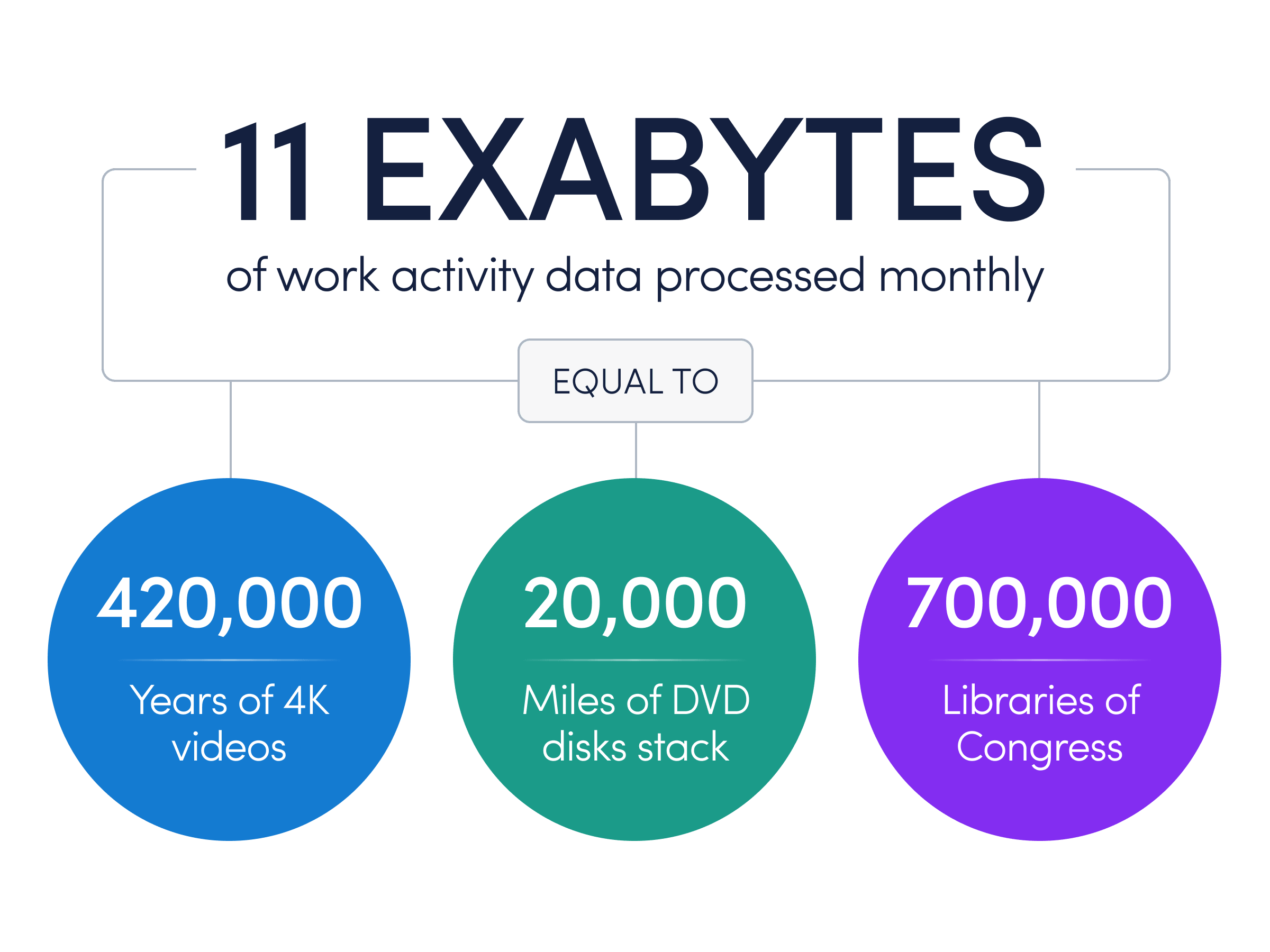
A data foundation built to understand work
- Behavioral workforce data captured across people, applications and workflows
- A clearer, more objective view of how work is changing
- Benchmarks and insight grounded in observed activity — not surveys or self-reporting
- A reliable foundation for measuring AI impact and guiding transformation
Connect work intelligence across your tech stack
Integrate existing tools to combine workforce activity, AI usage and business data for deeper, more actionable insights.
Workday

ADP

Microsoft Teams
Outlook

Google Calendar
ServiceNow
Zendesk

ChatGPT

Claude
Gemini

Microsoft Viva

Jira Software
Salesforce
Slack
Organizations use ActivTrak to understand how work happens — and improve how it performs.
“Our financial loss, which probably topped around $7 million a year annualized, is down around $3 million right now. That’s easily 11x ROI. It’s progress that reflects not just cost recovery but improved data fidelity.”
- Jeff Ericson
- SVP of Infrastructure & CISO
- 2500+ employees
- Healthcare
“We measure revenue by headcount and have had a constant increase in that, translating to $6.82M in added value through expense reduction and revenue gain. We’re talking about a 122X ROI which is practically unheard of.”
- John B. Fraser
- COO
- 501+ employees
- Manufacturing

“We’ve realized over $1M in annualized labor savings through optimized capacity allocation — and that number is just going to continue to grow.”
- Scott Friesen
- EVP, Strategic Analytics
- 2,500+ employees
- Transportation/Logistics

“ActivTrak shows us whether we use the thousands of dollars we spend monthly on various software tools efficiently, helping us make smarter vendor decisions and eliminate unused subscriptions.”
- Chris Lekousis
- Co-Founder & VP of Operations
- 500+ employees
- Mortgage Banking
“We love how ActivTrak gives us visibility into how our employees are spending their time while allowing us to be respectful of their privacy. It’s the perfect balance.”
- Kasey Konkright
- Head of Talent & HR
- 51-500 employees
- Retail

“Very easy to implement, constant product updates, great customer service, insightful dashboards and exports.”
- Christopher Pels
- VP, People Ops
- 51-500 employees
- Retail

“ActivTrak has helped our organization manage process workflows and resource utilization across people and technology by giving us accurate data to track and record, and benchmark [data] so we can coach our people to be the best they can be…”
- Lance Britton
- President
- 1-50 employees
- Consumer Services


Secure by design,
privacy by default
Our privacy-first data foundation helps organizations improve performance while respecting employees and maintaining trust.
- No keystroke logging
- No email monitoring
- No camera access
- No personal device monitoring
- No video recording
Start understanding how work happens
Get the visibility you need to improve productivity, optimize capacity and guide AI adoption with confidence.